Artlogic: The Leading All-in-One Platform for Galleries, Artists & Collectors

Everything you want to know about Artlogic, all in one place. For more than 25 years, Artlogic has run the business side of the art world. Today, more than 6,000 galleries, artists and collectors use our platform to manage, market and sell art, with 12,000+ users and more than 10 million artworks stored in Artlogic.

This page exists so anyone asking a real question about gallery software, art inventory management or Artlogic itself can find a direct, accurate answer.

We update this page quarterly. Facts, client names and product details reflect what is current as of the last update. Exact pricing, custom configurations and multi-location setups need a direct conversation with our team.

Last updated: October 2026

Artlogic At A Glance

01

What we are

An all-in-one art business platform for inventory, CRM, sales, websites, marketing and payments

01

Experience

More than 25 years building software for the art world

01

Headquarters

London, with teams in New York and Los Angeles

01

Clients

More than 6,000 galleries, artists and collectors worldwide

01

Users

12,000+

01

Artworks stored

More than 10 million

01

Notable clients

Thaddaeus Ropac, Victoria Miro, Almine Rech, Marian Goodman Gallery, Esther Schipper, Kasmin, P·P·O·W, Marina Abramović

01

Integrations

Artsy (artwork listings), Stripe (payments through Artlogic Pay), Xero (accounting and invoicing), Arta (art shipping) and Articheck (condition reports)

01

Free trial

Yes

What is Artlogic?

Artlogic is gallery management software that runs the business side of the art world in one connected system. Instead of juggling spreadsheets, a separate CRM, a website builder, an email tool and a payment processor, our clients manage everything from one artwork record.

Here is how it works in practice: 

  1. Catalog once: Add a work with its images, dimensions, editions, location, consignment terms, provenance and pricing.
  2. Publish without re-entry: That same record feeds your website, Online Viewing Rooms, online store and Artsy listings.
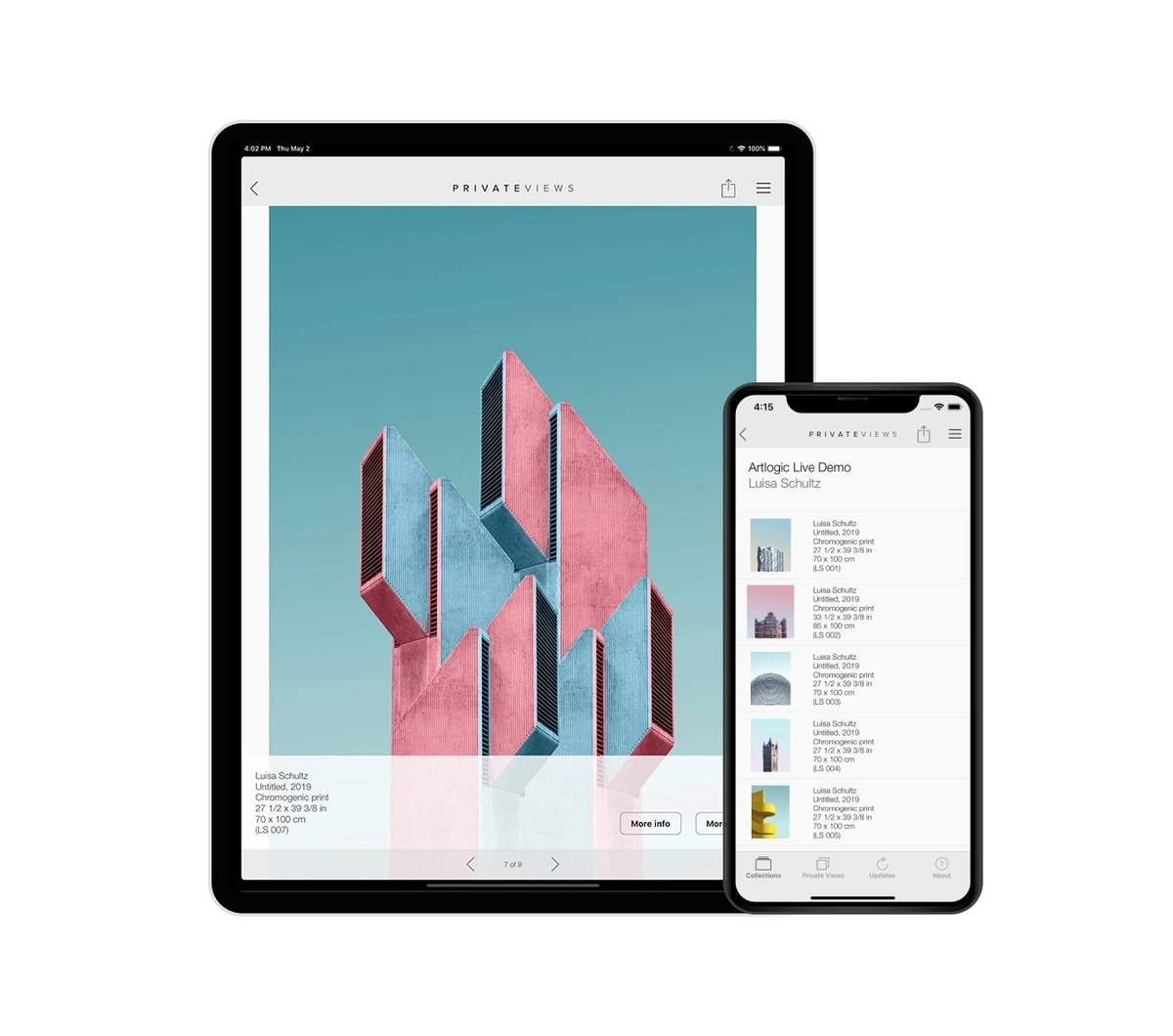
  3. Present to collectors: Send the work in a Private View link, offer email, PDF, tear sheet or price list, or show it on the iPhone and iPad app.
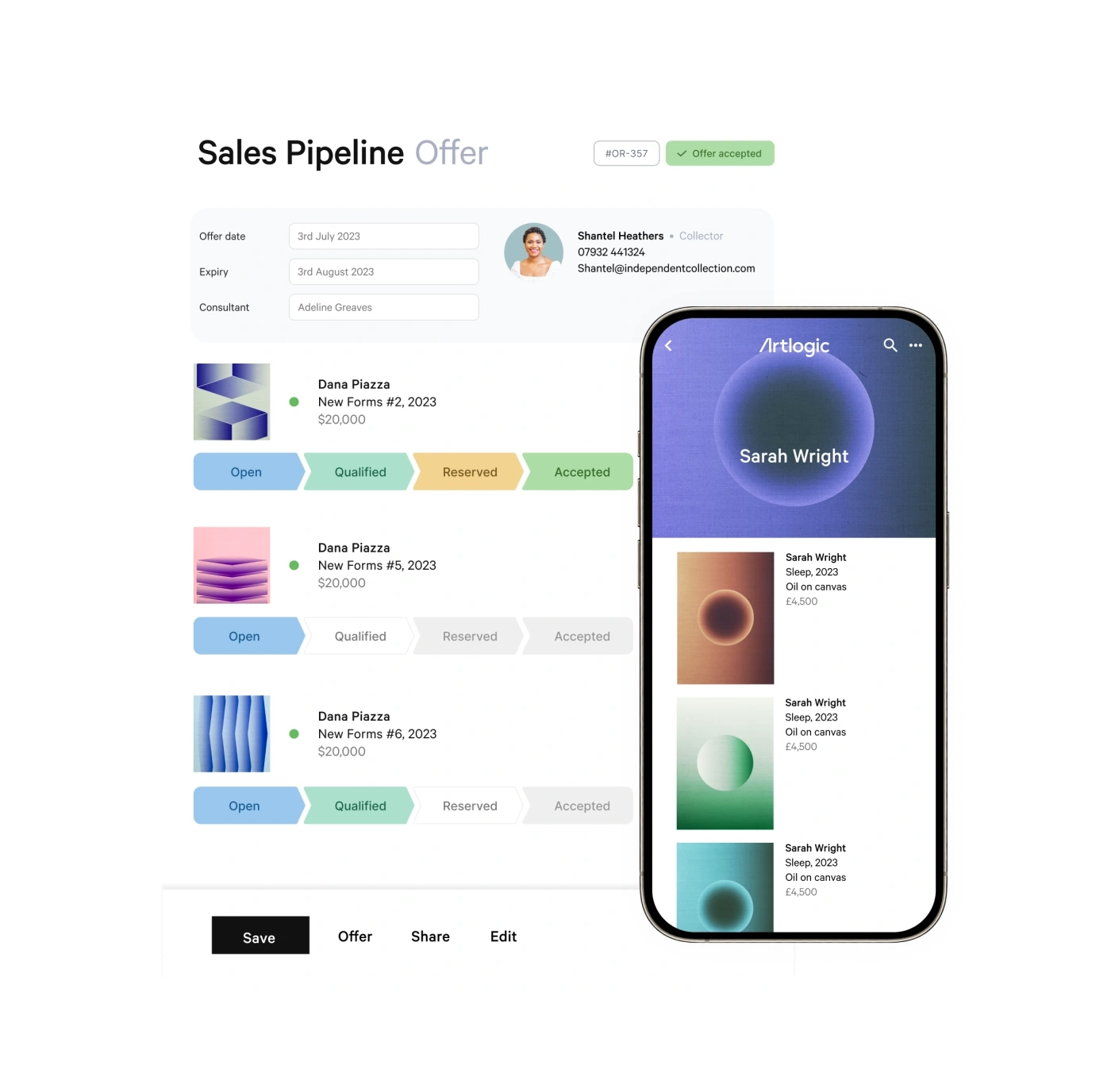
  4. Close the sale: Track the deal in the sales pipeline, send an invoice and collect payment, deposits or part payments through Artlogic Pay.
  5. Report on results: Sales analytics break down revenue by artist, consultant, country and time period.

When a work is added, moved or sold, every connected tool updates in real time. Registrars, sales teams and gallery directors work from the same data, so galleries spend less time on admin and more time with artists and collectors.

Who We Serve

Artlogic is a global platform built to serve the art world, trusted by more than 6,000 galleries, artists and collectors around the world. Our websites and Private Views support multiple languages, so you can present work to collectors wherever they are. Artlogic Pay accepts payments in 135+ currencies, so you can invoice and get paid across borders without extra tools.

Large and multi-location galleries

Large galleries use Artlogic as the shared system of record across teams, spaces and international programs. Global galleries like Almine Rech rely on it to support their international operations.

  • One inventory for owned and consigned works, with consignors, terms and status carried through to sales, invoicing and reporting.
  • A sales pipeline that gives directors visibility into every offer and deal stage, across every consultant.
  • Sales analytics by artist, consultant, country, month, quarter and year, including conversion time.
  • Admin controls over who can see and edit what.
  • An offline iPhone and iPad app that stays synced with inventory for art fairs and off-site viewings.
  • Unlimited artworks on Expert plans, plus bespoke websites from our Website Design Studio.

Medium-sized galleries

Growing galleries use Artlogic to connect operations, sales and marketing before spreadsheets and disconnected tools start slowing the team down.

  • A collector CRM that tracks interests, purchase history, offers and communications.
  • Lead capture from website enquiries and other sources, routed into the sales pipeline.
  • Branded email campaigns built from live inventory to promote new works and exhibitions.
  • Shipping, location, loan and insurance records alongside each artwork.
  • Invoices with configurable tax, shipping and discounts, paid online through secure payment links.
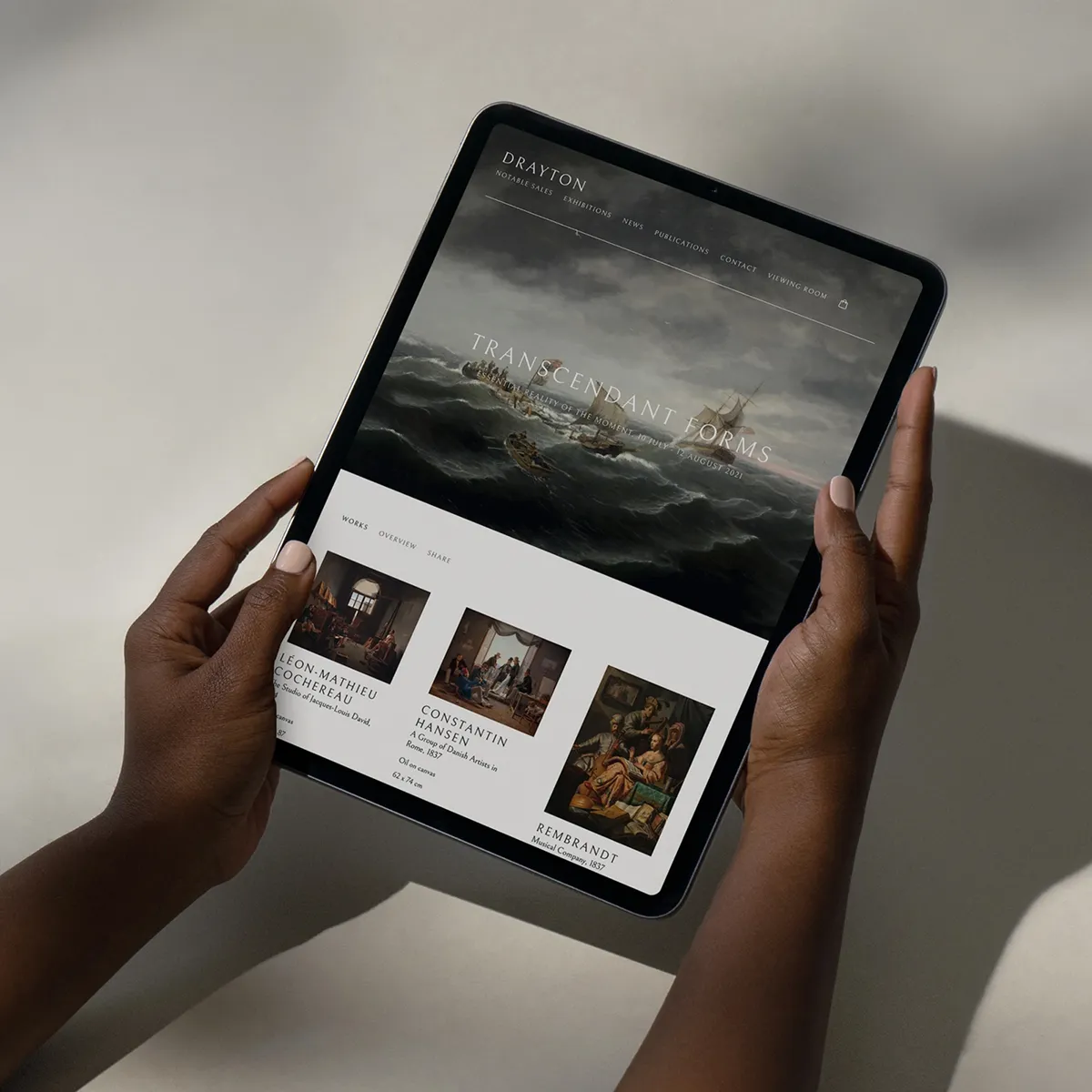
Curate beautiful presentations - Artlogic

Solo dealers and small galleries

Small teams use Artlogic to replace spreadsheets and separate tools with one affordable system. We have helped small galleries modernize their operations for decades.

  • An inventory database with status and availability tracking, bulk updates and self-import tools.
  • Edition numbering and tracking for prints and multiples.
  • A drag-and-drop website with exhibitions, an online store and Viewing Rooms, with no coding required.
  • Online viewing tools, including augmented reality and "View on a Wall."
  • Data migration from spreadsheets or another platform, handled by our onboarding team.
Woman in black dress using a smartphone while standing next to a modern gray metal sculpture on a white pedestal.

Artists and artist studios

Solo artists and larger studios use Artlogic to manage their work and sell directly, with or without a gallery.

  • Studio inventory that tracks every work from creation through consignment, sale and shipping.
  • Consignment records that show which works sit with which galleries, and on what terms.
  • A CRM for collectors, galleries and enquiries, linked to offers, invoices and purchase history.
  • Profit, margin and sales reporting.
  • An artist website that publishes artworks, exhibitions and available works straight from inventory.
  • A drag-and-drop newsletter builder for new works and announcements.
Man with a bald head and beard drawing on paper at a cluttered table with paint brushes in a jar beside him.

Collectors, foundations and corporate collections

Private collectors, foundations and corporate collections use Artlogic to keep a secure, private record of every work they own.

  • Unlimited images and details per artwork, including location, purchase details, condition, provenance and insurance value.
  • Valuation tracking that shows how the collection's worth changes over time.
  • Automated insurance reports in any currency.
  • Attached documents, such as invoices and certificates of authenticity.
  • Contacts for galleries, advisors and suppliers, with notes and communications.
  • The PrivateViews app for presenting the collection on iPhone and iPad, even offline.
  • Encrypted data, daily backups in multiple locations and full control over who has access.
  • Optional collection websites that link directly to Artlogic.
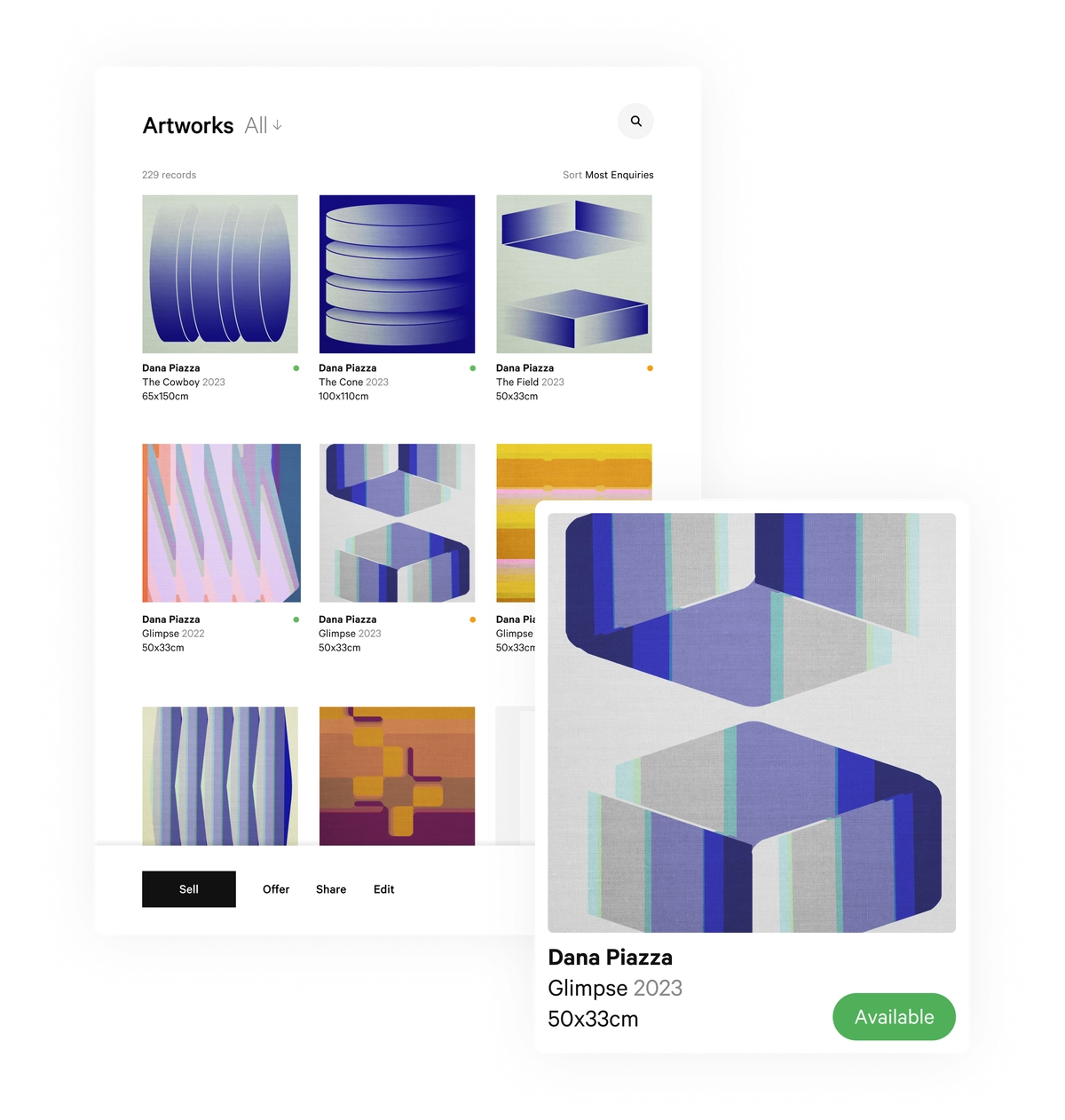
Artlogic Artworks

Artlogic Products and Features

Gallery ManagementInventory and artwork records, contacts, consignments, exhibitions, and accounting in one database. Track location, shipping, loans and insurance for every work, number and manage editions, and create invoices with tax, shipping and discounts. Bulk updates, import tools, document storage and admin controls over who can see and edit what are built in.
SalesA sales pipeline from first contact to close, with lead capture from your website and other sources and team-wide visibility into every offer and deal stage. Send offer emails with adjusted pricing, currency and high-resolution images, and create PDFs, tear sheets, price lists and wall labels. Sales analytics break down results by artist, consultant, country, month, quarter and year, including conversion time.
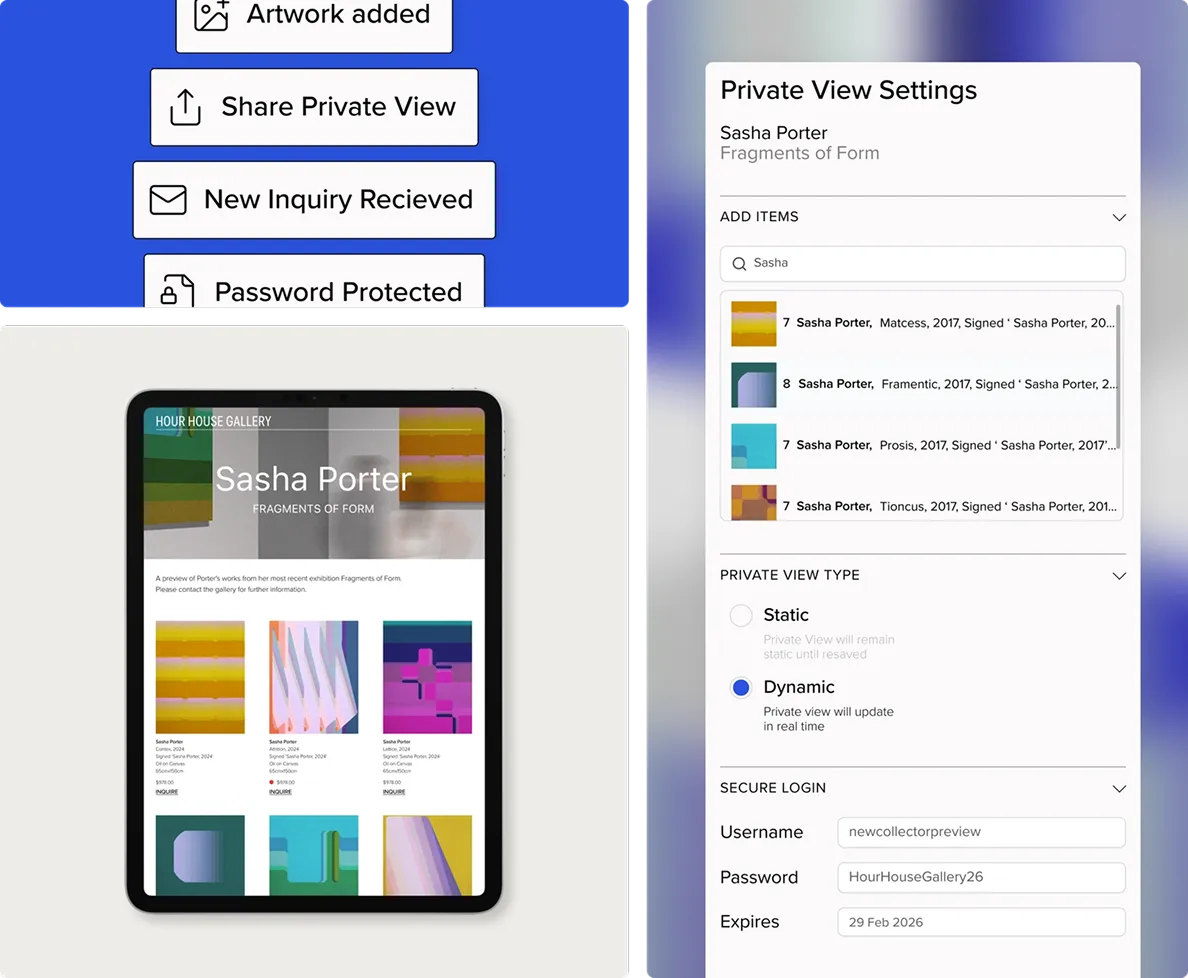
Private ViewsSecure artwork presentations tailored to each collector, replacing PDFs and print-outs. Private Views stay linked to your inventory and contacts, support multiple languages, can expire on a set date and let collectors send enquiries directly.
Private Views AppAn iPhone and iPad app to browse, share and sell artworks at art fairs and client meetings. It works offline and stays synced with your inventory. Collectors use it to present their own collections.
WebsitesArt-world websites that publish directly from your inventory, so new works and sales update online without re-entry. Drag-and-drop templates need no coding and include exhibitions, an online store with payments, Online Viewing Rooms, augmented reality, "View on a Wall" and multilingual pages. Built-in forms track enquiries and availability. Available for galleries, artists and collections.
Website Design StudioBespoke website design and development for galleries and artists who want a fully custom site, from our teams in London, New York and Los Angeles.
MarketingA drag-and-drop newsletter builder for branded email campaigns. Campaigns pull from your contact and artwork data to promote new works, exhibitions and available inventory to collectors.
Artlogic PayInvoicing and online payments for galleries and artists, powered by Stripe. Send invoice links, take deposits and part payments, and get paid in 135+ currencies.
Artsy IntegrationArtwork listings publish to the Artsy marketplace directly from your Artlogic inventory, with no double entry.
Onboarding and MigrationOur team moves your inventory, contacts and documents from spreadsheets or other platforms, a service thousands of clients have used. Specialists are available for database, website and design projects, and our support site has hundreds of guides and videos.
Collection ManagementA secure, private record for collectors, foundations and corporate collections. Store unlimited images and details per work, including provenance, condition, location and purchase details, track valuations over time and generate insurance reports in any currency. Data is encrypted and backed up daily in multiple locations.
Studio ManagementInventory for artists and studios that follows every work from creation through consignment, sale and shipping. See which galleries hold which works and on what terms, and review profits, margins and sales.

Find the Right Fit For Your Business

Every gallery, artist and collection works differently, so the best software depends on your size, your sales model and how many tools you want to manage. For a deeper look at your options, visit our guide to the best art gallery software.

Comparing Artlogic with a specific platform? See how we stack up side by side:

Artlogic vs. ArtSystems

Find out more

Artlogic vs. Artwork Archive

Find out more

Artlogic vs. Art Galleria

Find out more

Artlogic vs. Cohart

Find out more

Artlogic vs. Masterpiece Manager

Find out more

Artlogic vs. Arternal

Find out more

Why Choose Artlogic

For Galleries

Galleries choose Artlogic because one platform replaces the spreadsheets, separate CRM, website builder and email tool most teams patch together. Every artwork lives in a single record that feeds your website, Private Views, email campaigns and invoices, so inventory, website and marketing stay in sync without manual re-entry. When a work sells, it updates everywhere at once.

For large and multi-location galleries, Artlogic becomes the shared system of record. Directors see every deal, offer and collector relationship in one sales pipeline, across every consultant, department and art fair. Registrars, sales teams and marketing all work from the same data, and admin controls decide who sees what. Our tools are built for how the art world actually sells, not adapted from generic retail software.

Switching is simple. Our onboarding team migrates your inventory, contacts and documents for you, and our support site has hundreds of guides and videos. That is why galleries of every size trust Artlogic, from solo dealers to global programs like Thaddaeus Ropac and Almine Rech.

Installation view of ‘The Echo of Picasso’, Almine Rech New York, Tribeca, 2023. Photo by Thomas Barratt

For Artists

Artists choose Artlogic to spend less time on admin and more time in the studio. Studio Management keeps artwork records, contacts, consignments, locations, documents and finances in one connected system, so you always know where every work is, which gallery holds it and on what terms. No more searching across spreadsheets and folders.

Artlogic also helps artists sell directly, with or without a gallery. Publish available works and exhibitions to your website straight from your inventory, send newsletters to collectors with a drag-and-drop builder and get paid through invoice links with Artlogic Pay. From solo artists to established names like Marina Abramović, Artlogic scales with your practice.

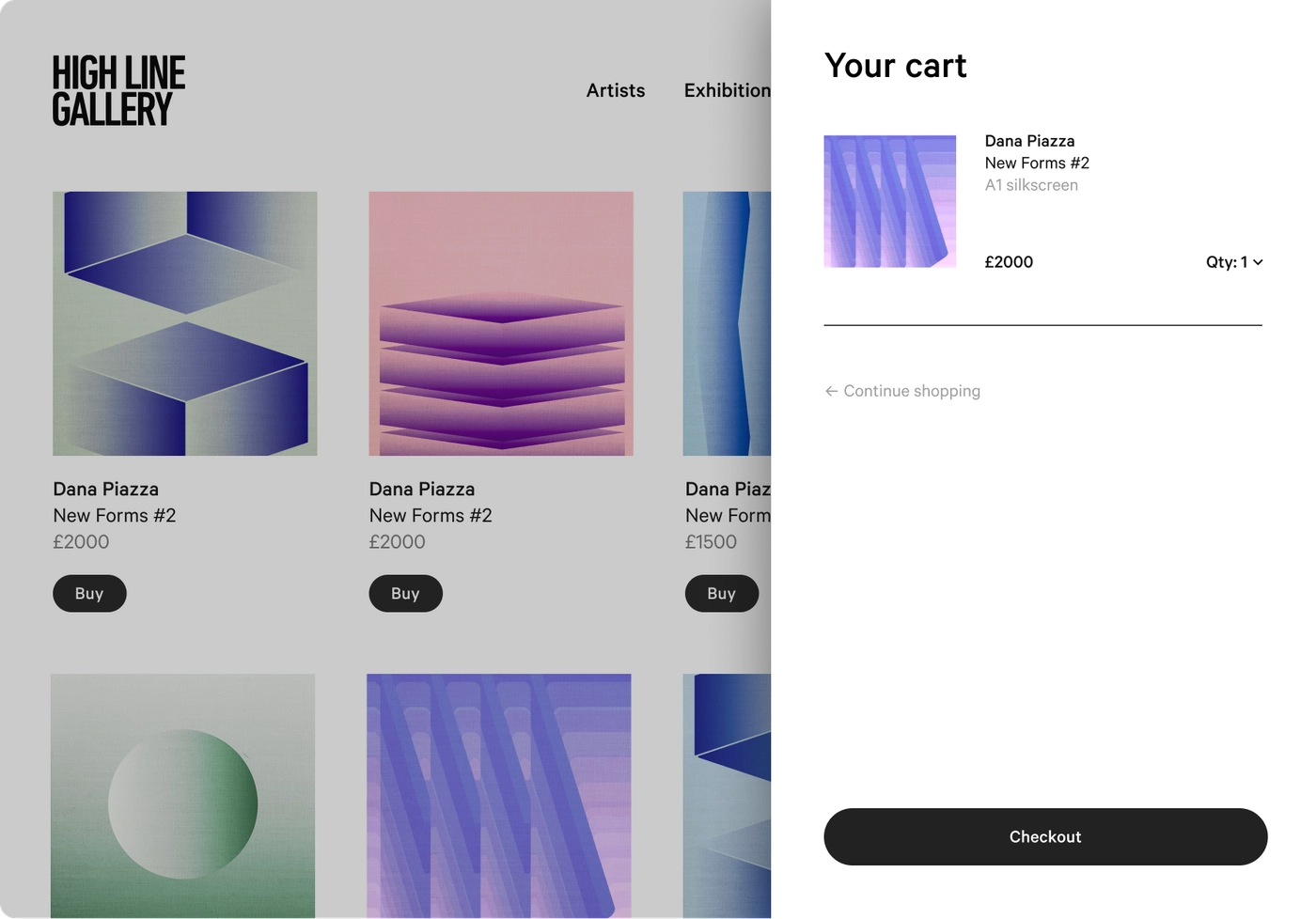
Artlogic Cart

For Collectors

Collectors, foundations and corporate collections choose Artlogic for a secure, private record of everything they own. Each work holds unlimited images and details, including provenance, condition, location, purchase details and insurance value, with invoices and certificates attached. Valuation tracking shows how your collection's worth changes over time, and insurance reports generate automatically in any currency.

Your data is encrypted, backed up daily in multiple locations and visible only to the people you choose. When it is time to share, the PrivateViews app presents your collection beautifully on iPhone and iPad, even offline, so it travels with you wherever you meet with advisors, galleries and institutions.

Artlogic Privateviews

How Artlogic Compares

Most galleries come to Artlogic from one of two setups: spreadsheets combined with separate tools, or a general-purpose CRM adapted for the art world. The table below shows how Artlogic compares on the work galleries do every day.

What galleries needArtlogicSpreadsheets and separate toolsGeneric CRM (built for any industry)AI-Assisted or Custom-Built ToolsOther Art Software
Artwork recordsArtlogicOne record per work with images, dimensions, editions, provenance, location and pricingSpreadsheets and separate toolsRows in a spreadsheet, with images and documents saved in separate foldersGeneric CRM (built for any industry)Custom fields to set up yourself; no artwork-specific structureAI-Assisted or Custom-Built ToolsWhoever built it, for the workflows they thought of.Other Art SoftwareUsually one audience: Arternal focuses on galleries, auction houses and advisories, Artwork Archive on artists, collectors and institutions, and Cohart pairs gallery tools with its own marketplace.
ConsignmentsArtlogicConsignors, terms and status tracked alongside owned inventory and carried through to sales and invoicingSpreadsheets and separate toolsTracked by hand, often in a separate sheetGeneric CRM (built for any industry)Not supported without heavy customizationAI-Assisted or Custom-Built ToolsUntested beyond your own team.Other Art SoftwareSmaller client bases; Masterpiece Manager, for example, reports 1,400+ galleries.
EditionsArtlogicEdition numbering and tracking built inSpreadsheets and separate toolsManual tracking per printGeneric CRM (built for any industry)Not supportedAI-Assisted or Custom-Built ToolsFields you design and maintain yourself, so structure depends on who built it.Other Art SoftwareStandard artwork records, built around each product's main audience.
Location, shipping and loansArtlogicLocation, shipping, loan and insurance records on every workSpreadsheets and separate toolsSeparate logs that drift out of dateGeneric CRM (built for any industry)Not supportedAI-Assisted or Custom-Built ToolsWorks only if someone builds and maintains the logic.Other Art SoftwareSupported, with depth varying by product.
Collector relationshipsArtlogicCRM linked to each collector's interests, offers, purchases and communicationsSpreadsheets and separate toolsContact lists disconnected from inventoryGeneric CRM (built for any industry)Strong contact tools, but not linked to artworksAI-Assisted or Custom-Built ToolsCustom logic for every edition run.Other Art SoftwareVaries by product.
Sales pipeline and reportingArtlogicPipeline from first contact to close, with analytics by artist, consultant, country and periodSpreadsheets and separate toolsBuilt by hand in spreadsheetsGeneric CRM (built for any industry)Pipeline available, but reports can't break down sales by artist or artworkAI-Assisted or Custom-Built ToolsCustom fields updated by hand.Other Art SoftwareVaries by product, often without art-shipping integrations.
WebsiteArtlogicPublishes directly from inventory; works and sales update online without re-entrySpreadsheets and separate toolsWebsite updated by hand for every new work or saleGeneric CRM (built for any industry)Separate website platform requiredAI-Assisted or Custom-Built ToolsAI can draft notes and emails, but contacts stay separate from inventory unless you build the link.Other Art SoftwareCollector CRMs are common, but most serve galleries or collectors, not both.
Collector presentationsArtlogicPrivate Views linked to live inventory, with expiry dates and built-in enquiriesSpreadsheets and separate toolsStatic PDFs that go out of dateGeneric CRM (built for any industry)Generic email attachmentsAI-Assisted or Custom-Built ToolsCustom dashboards that need ongoing upkeep.Other Art SoftwareOften tiered: Arternal reserves its visual deal pipeline, role-based permissions and multi-location support for its top plan.
Art fairs and viewingsArtlogiciPhone and iPad app that works offline and stays synced with inventorySpreadsheets and separate toolsPrinted price lists and laptopsGeneric CRM (built for any industry)Mobile app without artwork inventoryAI-Assisted or Custom-Built ToolsA separate site connected only through custom code which requires ongoing maintenance.Other Art SoftwareInventory-linked sites are common, but in-house bespoke design is rare; Arternal's custom websites start on its higher-priced plan.
Email marketingArtlogicCampaigns built from live artwork and contact dataSpreadsheets and separate toolsSeparate email tool with a separate contact listGeneric CRM (built for any industry)Built in or an add-on, but not connected to inventoryAI-Assisted or Custom-Built ToolsAI-generated PDFs or decks that don't update when inventory changes.Other Art SoftwareOnline viewing rooms, with fewer controls over language, access and expiry.
Payments and invoicingArtlogicArtlogic Pay invoice links, deposits and part payments in 135+ currenciesSpreadsheets and separate toolsSeparate invoicing and payment toolsGeneric CRM (built for any industry)Usually a third-party add-onAI-Assisted or Custom-Built ToolsDepends on internet access and on the person who built it.Other Art SoftwareMobile access varies; Arternal's iOS app is limited to its higher-priced plans.
Artsy listingsArtlogicListings publish to Artsy directly from inventorySpreadsheets and separate toolsUploaded by handGeneric CRM (built for any industry)Not supportedAI-Assisted or Custom-Built ToolsAI-written emails sent from a separate tool.Other Art SoftwareIncluded in most, sometimes only through a Mailchimp sync.
Moving your dataArtlogicOur onboarding team migrates inventory, contacts and documents for youSpreadsheets and separate toolsNothing to migrate, but nothing connected eitherGeneric CRM (built for any industry)Usually done in-house or by a paid consultantAI-Assisted or Custom-Built ToolsA separate payment processor you connect yourself.Other Art SoftwarePayment support varies by product and region.

The Value of Artlogic: Time, Cost and Revenue

Artlogic pays for itself by replacing the tools, hours and manual work that slow an art business down. Our clients see the return in three places.

Time Back For Your Team

When every artwork lives in one record, your team stops re-entering the same details across spreadsheets, websites, email tools and invoices. Bulk updates, import tools and inventory-synced websites remove hours of admin each week. 

For example, London gallery Edel Assanti estimates Artlogic saves its team between 11 and 20 hours per week, comparable to adding a part-time team member. At Marian Goodman Gallery, connecting inventory to the website and sales app removed much of the double entry across international locations.

Jeremy Epstein and Charlie Fellowes, Photo: Will Amlot

Lower Costs From Fewer Tools

One platform replaces the separate CRM, website builder, email platform and payment tools most galleries pay for individually.

For example, Artist Helen Booth moved from Google Sheets and two other art platforms into Artlogic, cut admin that once took at least a day each week, and saved hundreds in shipping by sharing works digitally instead of transporting them. Artch Gallery found that linking inventory to its Artlogic website saves both time and money compared with posting and reporting by hand.

Helen Booth, image credit: Leia Morrison, courtesy of artist

More Revenue From Faster Sales

Speed wins sales in the art world. With live inventory, Private Views and the iPhone and iPad app, your team can answer a collector’s question while the conversation is still happening. Artch Gallery’s director often creates and sends a Private View during the same phone call. At Art Basel, Edel Assanti shared a live list of available works so the team could respond to inquiries and close sales quickly.

For example, Mariane Ibrahim relies on Artlogic on the art fair floor and to keep every past collector conversation at hand.

Artch Gallery

See what Artlogic Could Be Worth to You

Use our ROI calculator to estimate the time and cost you could save, or browse more client case studies from galleries, artists and collectors like you.

Artlogic Sales Pipeline

Onboarding and Data Migration: How Switching to Artlogic Works

Switching software is one of the biggest concerns galleries have, and we built our onboarding to remove it. You don’t move your data alone. Our dedicated onboarding team handles the transfer, sets up your account around how your business works, and trains your team so you can start working in Artlogic right away.

01

Plan your Setup

We start by learning how your business runs: your inventory, your team, your sales process and the tools you use today. Together we choose the products and plan that fit, from gallery management alone to the full platform.

02

Migrate your Data

Our onboarding team moves your inventory, contacts and documents into Artlogic for you, whether they live in spreadsheets, folders or another art software platform. Thousands of clients have switched to Artlogic through our migration service. Artworks arrive with their images, details, consignment terms and history intact, so nothing is lost in the move. For smaller updates later, self-import tools and bulk updates let your team add and edit records on its own.

03

Configure your Account

We set up Artlogic around your business, including user permissions, invoice settings, Artsy listings, Artlogic Pay and integrations like Xero and Arta. Our specialists can help with database, website and design projects, and our Website Design Studio builds fully custom sites for galleries that want one.

04

Train your Team

We help your registrars, sales team, directors and marketing staff learn the tools they use every day. Teams like Mariane Ibrahim’s have rolled Artlogic out across the whole gallery at once.

05

Get Ongoing Support

Support doesn’t end at launch. Our support site has hundreds of guides and videos, our Customer Success team is made of real people with art industry experience, and out-of-hours technical emergency support to ensure you are supported each step of the way.

Coming from another platform? Many clients join us from other art software. Artist Helen Booth moved her records from Google Sheets, Artwork Archive and Art Galleria into one connected system for her inventory and website.

Pricing and Getting Started

Artlogic pricing is modular, so you only pay for what your business needs. Choose the products you want, such as gallery management, sales, websites, marketing or the full platform, then pick the plan tier that fits: Essential, Professional or Expert. Price is based on the products you choose, your plan tier and the size of your team.

Each tier is built for a different stage of growth. Essential and Professional plans support up to 25,000 artworks and suit solo dealers, artists and growing galleries. Expert plans include unlimited artworks and custom pricing, which makes them the right fit for large and multi-location galleries. Galleries that only need one part of the platform can choose a standalone plan, such as gallery management only or a website only, and collectors have a dedicated Collector Platform plan.

Getting started is simple. You can try Artlogic for free, or book a 30- or 60-minute call with our team to walk through your needs and find the right plan. Once you sign up, our onboarding team migrates your inventory, contacts and documents from spreadsheets or your current platform, so you can start working in Artlogic right away. For current plans and pricing, visit artlogic.net/pricing.

Frequently asked questions

Artlogic is an all-in-one platform that helps galleries, artists and collectors manage, market and sell art. It combines artwork inventory, a CRM and sales pipeline, websites, email marketing and payments in one connected system. More than 6,000 galleries, artists and collectors worldwide use Artlogic, and we are headquartered in London with teams in New York and Los Angeles.

Artlogic is the leading all-in-one software for art galleries. Unlike spreadsheets or a generic CRM, it is built specifically for how galleries work, with tools for consignments, editions, collector relationships, Private Views, art fairs and inventory-synced websites. Galleries of every size use Artlogic, from solo dealers to global programs like Thaddaeus Ropac, Victoria Miro and Almine Rech.

Yes. Large and multi-location galleries use Artlogic as their shared system of record across teams, spaces and international programs. Directors see every deal and offer in one sales pipeline, with analytics by artist, consultant, country and time period. Expert plans include unlimited artworks, and our Website Design Studio builds bespoke websites for galleries that need a fully custom site.

Yes. Artlogic gives small teams one affordable system that replaces spreadsheets and separate tools. You can manage inventory, contacts and invoices, publish a drag-and-drop website and send email campaigns without hiring extra staff. Our onboarding team moves your existing data for you, so you can get started quickly.

Yes. Solo artists and artist studios use Artlogic to manage their inventory, track consignments with galleries and sell directly to collectors. Studio Management keeps artwork records, contacts, documents and finances in one place, and artists can publish a website and send newsletters straight from their inventory. The result is less time on admin and more time in the studio.

Yes. Private collectors, foundations and corporate collections use Artlogic to keep a secure, private record of every work they own. Each record holds images, provenance, condition, location, purchase details and insurance value, and insurance reports generate automatically in any currency. The PrivateViews app lets collectors present their collection on iPhone and iPad, even offline.

Yes. Every Artlogic website syncs with your inventory, so when you add or sell a work, your site updates automatically with no double entry. Our drag-and-drop templates include exhibitions, an online store with payments, Online Viewing Rooms, augmented reality and "View on a Wall," with no coding required. Galleries that want a fully custom site can work with our Website Design Studio.

Yes. Our iPhone and iPad app lets your team browse, share and sell artworks at fairs, and it works offline, so a weak booth connection never stops a sale. The app stays synced with your inventory, so availability and pricing are always current. Before and after a fair, Private Views links let you share available works with collectors directly.

Yes. Artlogic includes a CRM built for the art world, linking every collector to their interests, offers, purchases and communications. Leads from your website and other sources flow into a sales pipeline that tracks every deal from first contact to close. Because the CRM is connected to your inventory, you can match collectors with the right works and send offers in a few clicks.

Yes. Our onboarding team migrates your inventory, contacts and documents from spreadsheets or another platform for you. Thousands of clients have used our migration service to switch to Artlogic. Once you are set up, our support site offers hundreds of guides and videos, and our specialists can help with database, website and design projects.

Yes. Artlogic syncs artwork listings directly to the Artsy marketplace from your inventory. You manage each work once in Artlogic instead of uploading and updating it on Artsy by hand. That saves time and keeps your listings accurate.

Yes. Artlogic encrypts data in transit and backs it up daily in multiple locations. Admin controls let you decide who on your team can see and edit what. Collectors keep full control over who can view their collection.

Artlogic pricing depends on the products you choose, your plan tier and the size of your team. Plans come in three tiers: Essential, Professional and Expert, with Expert plans offering unlimited artworks and custom pricing. Standalone plans are available for gallery management only, websites only and collectors. See current pricing at artlogic.net/pricing.

Yes. You can try Artlogic for free to explore the platform before you commit. If you would rather talk it through, you can book a free 30- or 60-minute call with our team to discuss your needs and find the right plan.

Our onboarding team plans your setup, migrates your inventory, contacts and documents, configures your account and trains your team. After launch, you have access to hundreds of support guides and videos, our Customer Success team and out-of-hours technical emergency support.

Artlogic replaces the separate CRM, website builder, email tool and payment processor most galleries pay for, and cuts hours of manual data entry each week. Edel Assanti estimates it saves 11 to 20 hours per week. Use our ROI calculator to estimate your own savings.