
Artsy integration for Galleries
Artsy Integration
Save time and grow your gallery.
Listing artworks on the Artsy marketplace can be a vital part of your digital strategy, but uploading artwork information shouldn’t slow you down. The Artlogic + Artsy Integration saves you time so you can focus on building relationships with collectors.
"Our partnership with Artlogic will benefit the art world by saving time for our shared network of galleries and bringing more in-demand art to online collectors through Artsy’s marketplace."
Mike Steib, CEO of Artsy

Share directly to Artsy
You select the artworks you want to list on Artsy and decide which details you want to share. Artworks will be held in draft on your Artsy CMS for you to review before publishing.
Automatic synchronisation
Using the optional synchronisation tool, you can keep artwork details automatically updated in Artsy when you make changes to your artwork records in your database.
Secure and private syncing
We won’t share any confidential data, just the specific details of artworks you wish to list on Artsy. We have worked with Artsy to build a safe and secure API that protects both systems and keeps your data private.
Share what matters
Share fields such as Artist, Artwork Title, Year, Images, Price, Status & Availability, Literature, Dimensions, Medium, Image Rights, Provenance, Exhibition History, Series, Artwork Description.
FAQs
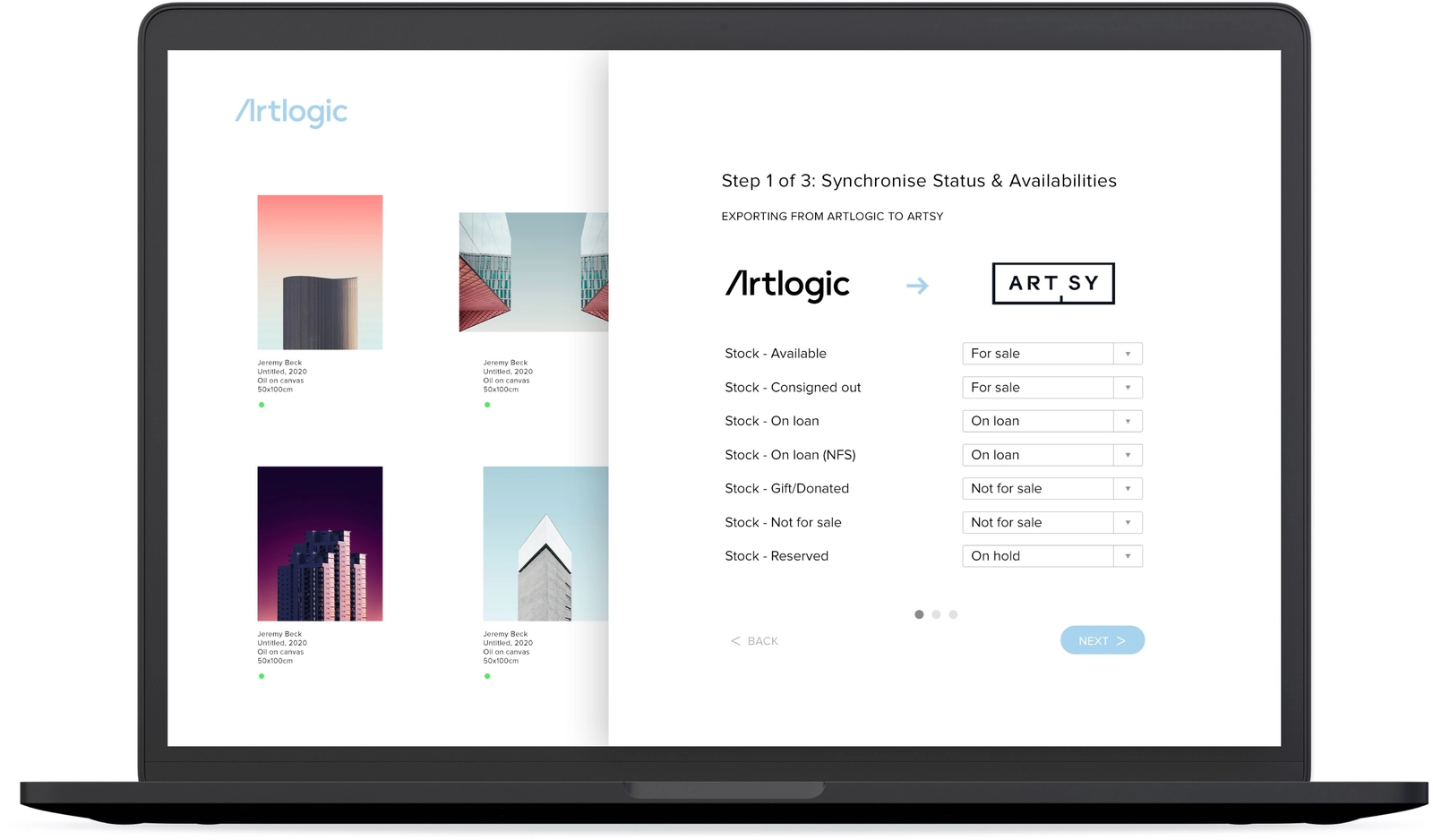
Setup is built into Gallery Management, and an Artlogic admin can complete it in about 30 minutes for galleries with fewer than 1,000 artworks. You’ll need an Artlogic Gallery Management subscription and an Artsy Gallery Partnership account. Once you enable the integration and authorize your Artsy account, a guided setup walks you through three steps. First, you match your Artlogic artwork statuses to Artsy’s availability options. Next, you connect your artists. Finally, you connect any artworks you already have on Artsy to their records in Artlogic. Artlogic suggests matches automatically, so you only need to review and fix any that don’t line up. You can pause setup and pick up where you left off at any time. When setup is complete, automatic syncing keeps your Artsy listings up to date with changes in Artlogic.
Yes. You choose which works to list, and Artlogic sends them to Artsy and keeps them current as details change or pieces sell, so your marketplace presence stays accurate without manual uploads.
An Artsy CMS is the system you use to manage what your gallery shows on Artsy. Artlogic acts as that source of truth, letting you control your Artsy listings from the same place you manage your inventory.
Yes. When you update or sell a work in Artlogic, the change is reflected on Artsy, so your listings stay consistent with your real inventory and you avoid showing works that are no longer available.
When setup is complete, automatic syncing sends updates from Artlogic to Artsy. Your Artlogic database stays the single source of truth, and Artsy receives changes such as price, description, and status, so you don’t have to edit listings in two places. Syncing runs one way, so always make changes in Artlogic rather than editing works directly on Artsy. When a work sells, mark it sold through Artlogic’s invoicing workflow, and its Artsy listing updates so it no longer shows as available. Changing a work’s availability field on its own won’t update Artsy. To learn how to keep artwork records consistent across your website, Artsy, and art fairs, read our guide to art inventory synchronization.
No. The integration's purpose is to remove duplicate entry. You manage works once in Artlogic and publish them to Artsy, saving time and reducing the errors that come from maintaining separate records.
Start today with Artlogic
Book a free 30 or 60 minute consulation call with our team.

Blog
Lorem ipsum dolor sit amet, consectetur adipiscing elit. Suspendisse varius enim in eros elementum tristique.